

















Risposta breve: Dofun iLauncher is a lightweight, driving-oriented Android car launcher that replaces the stock home screen on Android head units with a cleaner, more readable layout. It does not modify firmware or core functions; it simply reorganizes navigation, music, and status information so they are easier to reach while driving.
Most aftermarket Android head units work, but few feel refined. Their stock user interfaces tend to be functional but cluttered, with inconsistent layouts, awkward icon spacing, and limited customization. When driving, every unnecessary tap and distraction becomes a risk. The car interface needs to be simple, readable, predictable, and built around the reality of driving—not around visual gimmicks.
Dofun iLauncher attempts to redesign this experience with a cleaner and more customizable home interface. Its goal is not to transform a car into a futuristic cockpit, but to remove noise, reduce friction, and display core functions with clarity—navigation, audio, and essential status information. These are traditional values in UI design: practicality, stability, clarity, and familiarity.
This review evaluates Dofun iLauncher from a restrained, skeptical, and realistic perspective. Instead of hype, we examine whether this Android car launcher actually makes driving safer and more efficient—and whether it’s worth using on your Android head unit.
What Is Dofun iLauncher for Android Head Units?
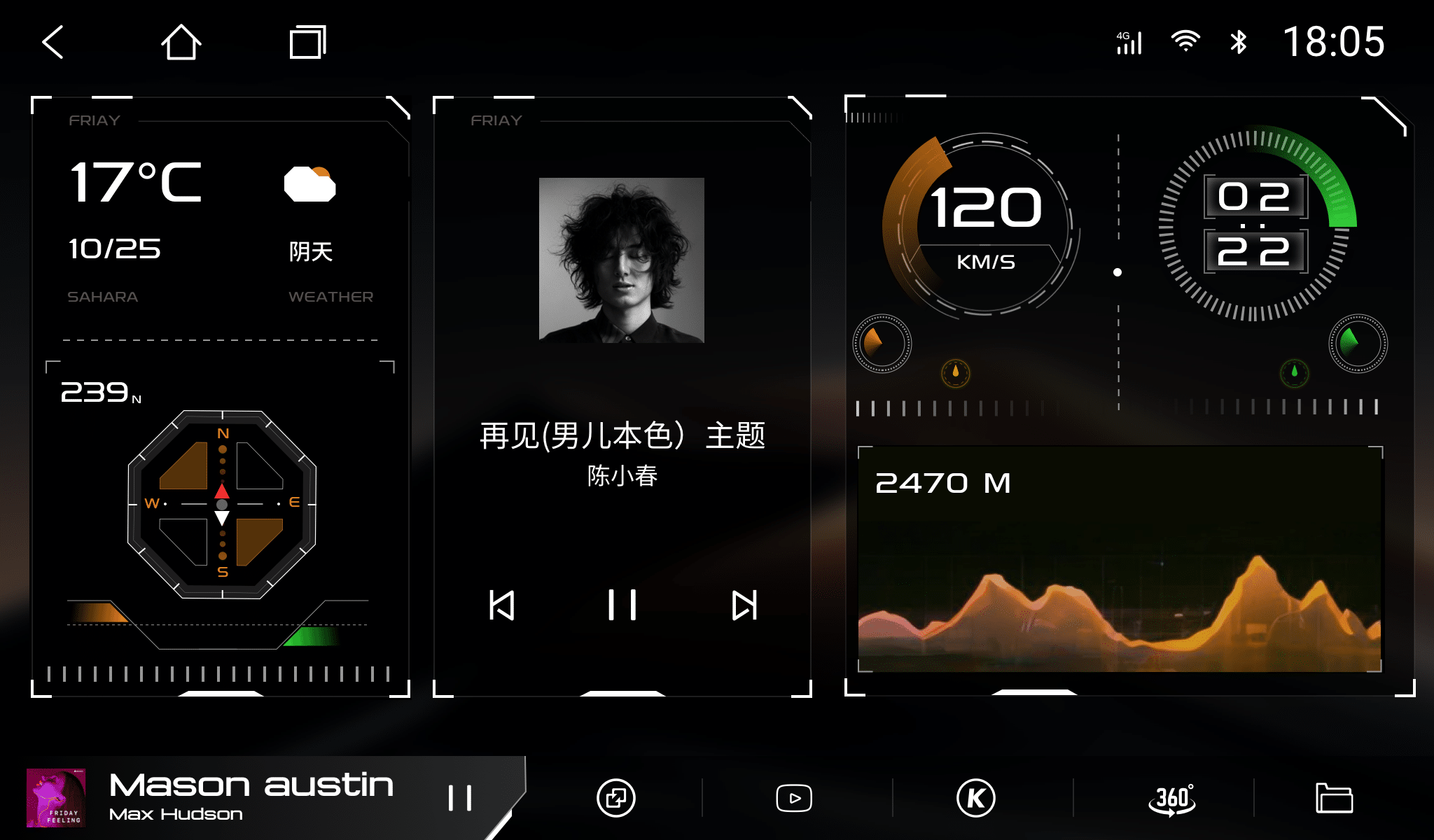
Dofun iLauncher is a third-party launcher designed specifically for Android car stereos and Android head units. It replaces the standard home screen with a cleaner digital dashboard that highlights information drivers actually need. In other words, it gives the screen a more automotive-oriented UI rather than a tablet-styled layout.
Its primary goals:
- Present essential functions up front
- Reduce navigation steps
- Improve day/night visibility
- Offer flexible customization
- Remain lightweight and stable
It does not try to create brand-new system functions. Instead, it reorganizes what already exists into a more practical structure. For many users, this is preferable to changing core firmware because it remains safe, reversible, and neutral.
For drivers who prefer to review technical details or purchase from a verified source, the product page is here: Dofun iLauncher – FixMyDash.
Why the UI Matters More Than Most Drivers Realize
Many drivers assume the interface is cosmetic—just “skin.” This is incorrect. A vehicle’s human-machine interface is as critical as its physical controls. If basic operations require multiple taps, or if critical information is buried under UI clutter, driving becomes less safe.
Three fundamental truths apply:
- Every additional tap increases distraction.
- Poor contrast makes important data easy to miss.
- Poor structure encourages unsafe habits.
Traditional in-car UI design values clarity: the ability to understand information at a glance. Reducing cognitive load aligns with a century of automotive ergonomics. Dofun iLauncher largely adheres to these principles rather than pursuing trendy visual effects.
When viewed this way, a good launcher isn’t luxury—it’s common sense.
Caratteristiche principali
1) Clean, Driving-Oriented Layout
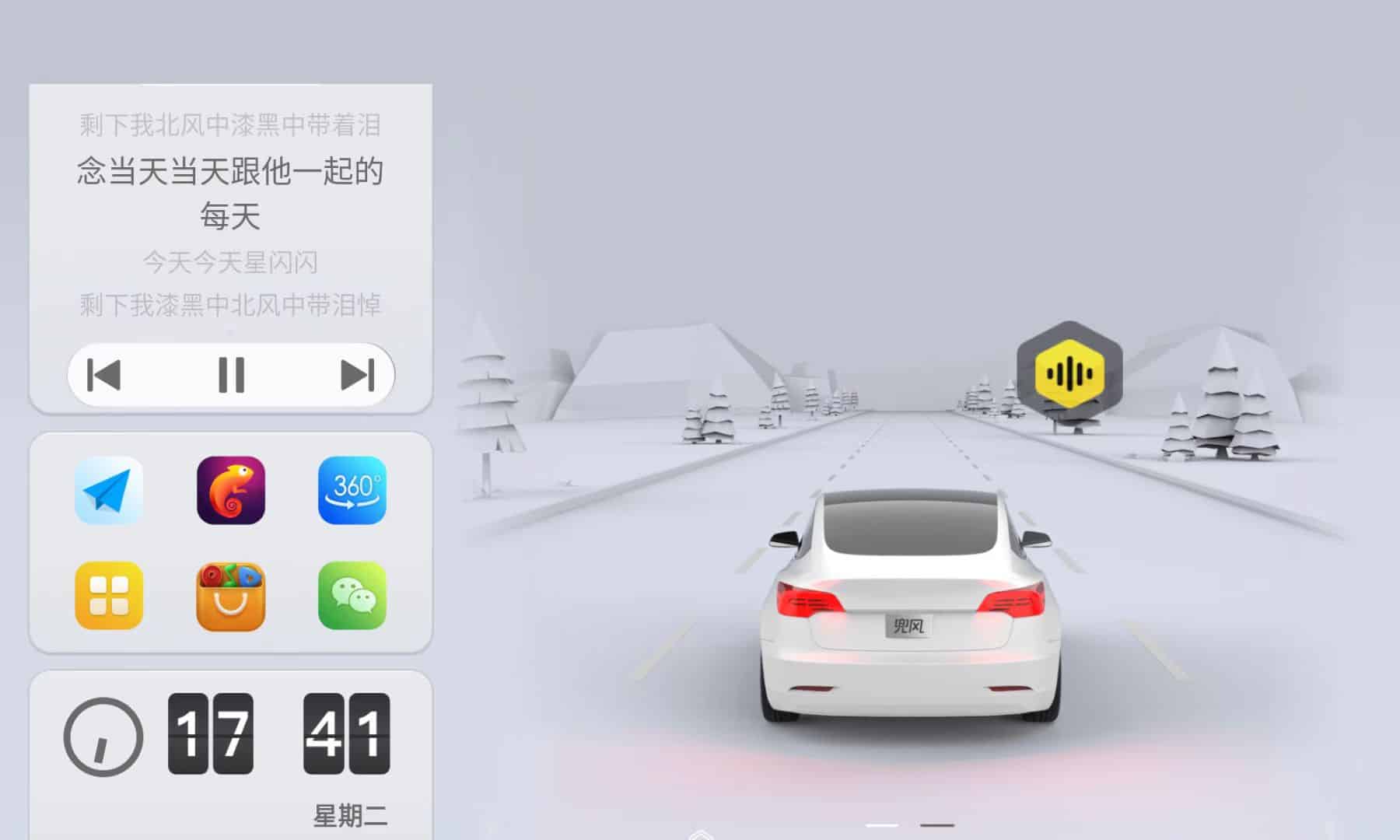
Dofun iLauncher prioritizes structure. Navigation and music controls are placed front-and-center because they are among the most frequently accessed functions while driving. Icons are reasonably sized, spaced properly, and visually balanced.
This is not spectacular—but it’s appropriate. Good automotive UI should feel quietly supportive, not attention-seeking.
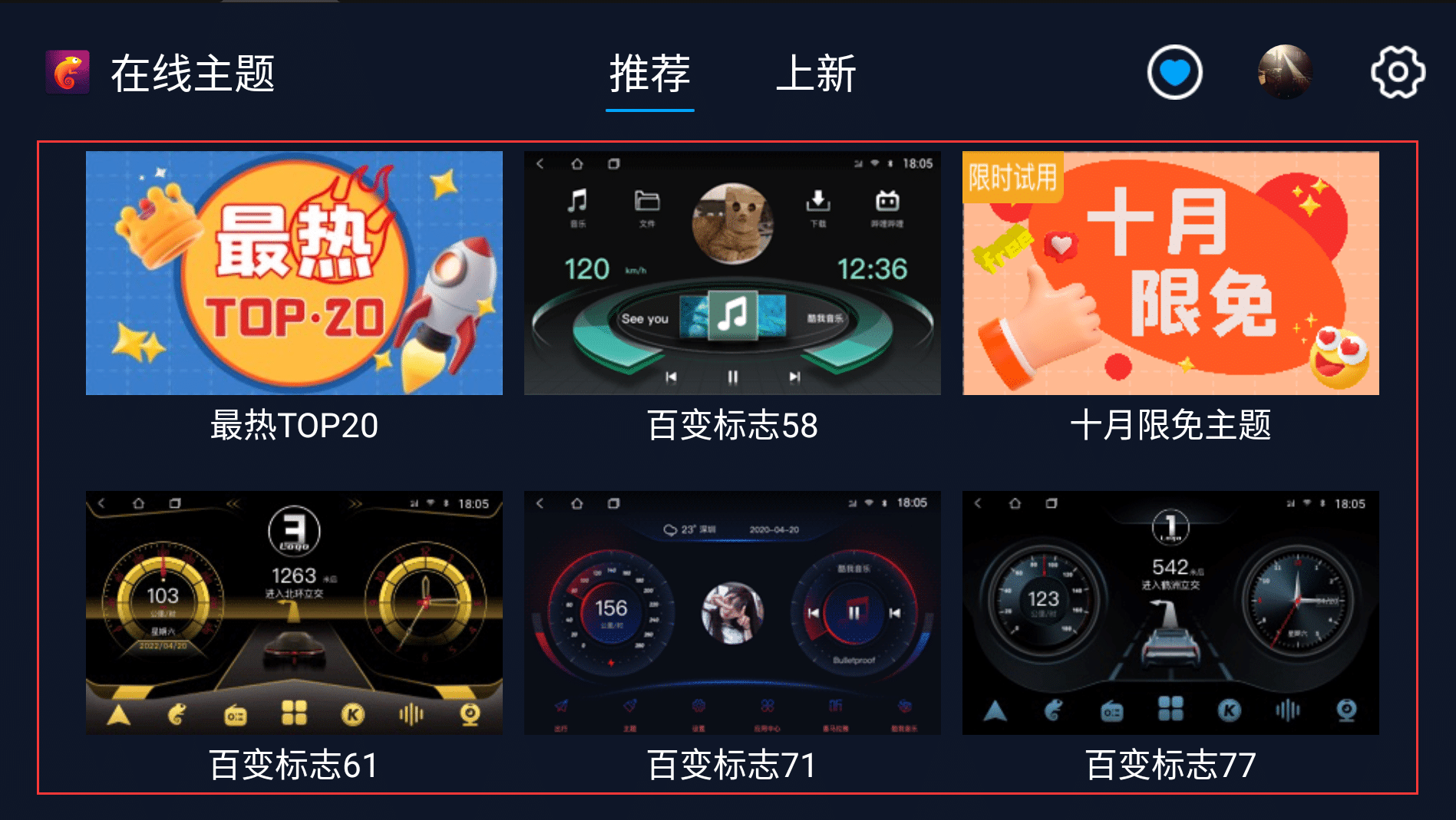
2) Thousands of Themes (Selective Use Recommended)
The software offers more than 1,000 template variations. The sheer quantity is excessive for most users and may overwhelm those who prefer simplicity. However, the upside is that users who value personalization will find something that aligns with their taste—minimalist, sporty, OEM-style, luxury-style, and more.
While theme quality varies, the best ones strike a balance between readability and refinement. The availability is positive, but restraint is advisable. A good theme is one that blends into the driving experience, not one that dominates it.
3) Automatic Day/Night Switching
Driving visibility is tied directly to contrast. Dofun iLauncher supports automatic day/night UI adaptation, helping maintain visibility without manual toggles. This feature is functional and practical—not an innovation, but a necessary maturity point.
Night mode is dark enough to minimize glare without hiding essential content. Day mode remains bright and legible without unnecessary saturation.
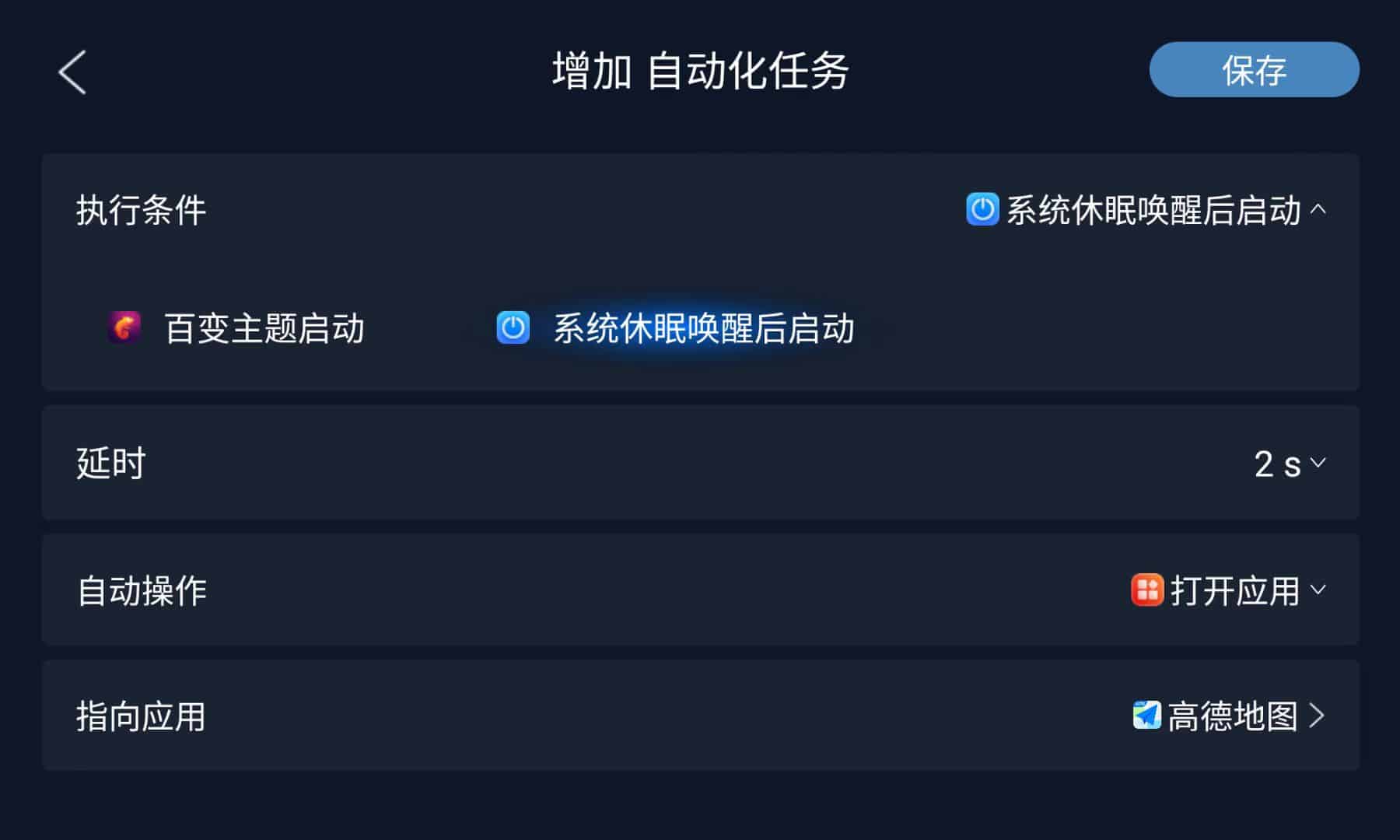
4) Auto-Play Music When You Start the Car
One small but meaningful feature is the ability to resume music playback automatically when the car powers on.
If granted proper background permissions, Dofun iLauncher can:
- Reopen your music app when ignition occurs
- Automatically resume your last song or playlist
- Reduce interaction and distraction
This helps maintain continuity: start car → drive → enjoy music, with no additional screen tapping.
However, it depends on:
- The music app (Spotify, YouTube Music, etc.)
- Head unit background policy
- Permissions granted
Some restrictive systems require manual settings. This is not Dofun’s fault; it is a systemic Android variation issue. But when configured correctly, the behavior is smooth and reliable.
Practical value: less fiddling → more driving focus.
5) Modular Widgets
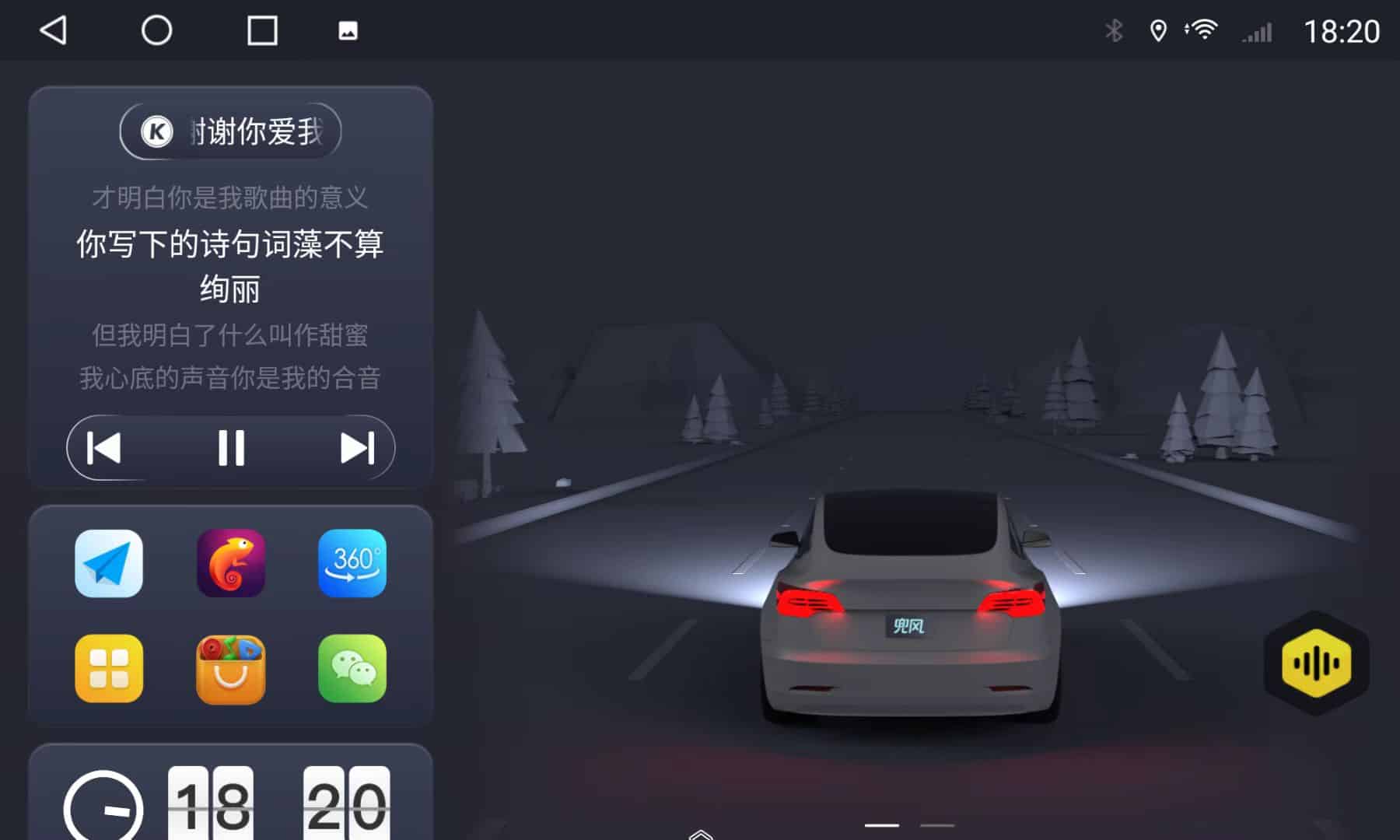
The launcher provides widget areas that can include navigation, weather, music controls, calendars, and more. The usefulness is moderate—not revolutionary—but it supports a personalized yet structured workflow.
Custom widgets allow drivers to make the home screen reflect their habits instead of enforcing a rigid layout.
6) Lightweight Resource Consumption
Heavy UI layers can degrade performance on lower-end head units. Dofun iLauncher is generally lightweight. Switching pages, launching apps, and returning to home are smooth on mainstream UIS7862 and similar platforms.
While aggressive theme switching can occasionally trigger reloads, regular daily use remains stable.
7) Straightforward Setup
Installation is simple:
- Install app
- Grant overlay + background permissions
- Select theme
- Set as default launcher
It requires no deep configuration or technical skill. The process is safe, reversible, and does not affect underlying firmware.
If you have not installed the software yet, you can obtain it from the official FixMyDash product page: https://www.fixmydash.com/product/ilauncher-for-android-car/.
Compatibilità
Dofun iLauncher works with:
- Most UIS7862 head units
- Most T-series units
- Qualcomm-based head units
- Most standard Android car systems
It does non disrupt:
- Radio modules
- DSP controls
- Bluetooth
- CarPlay or Android Auto pass-through
- Navigation apps such as Google Maps or Waze
No root is required.
Practical Value During Daily Driving
Fast Navigation Access
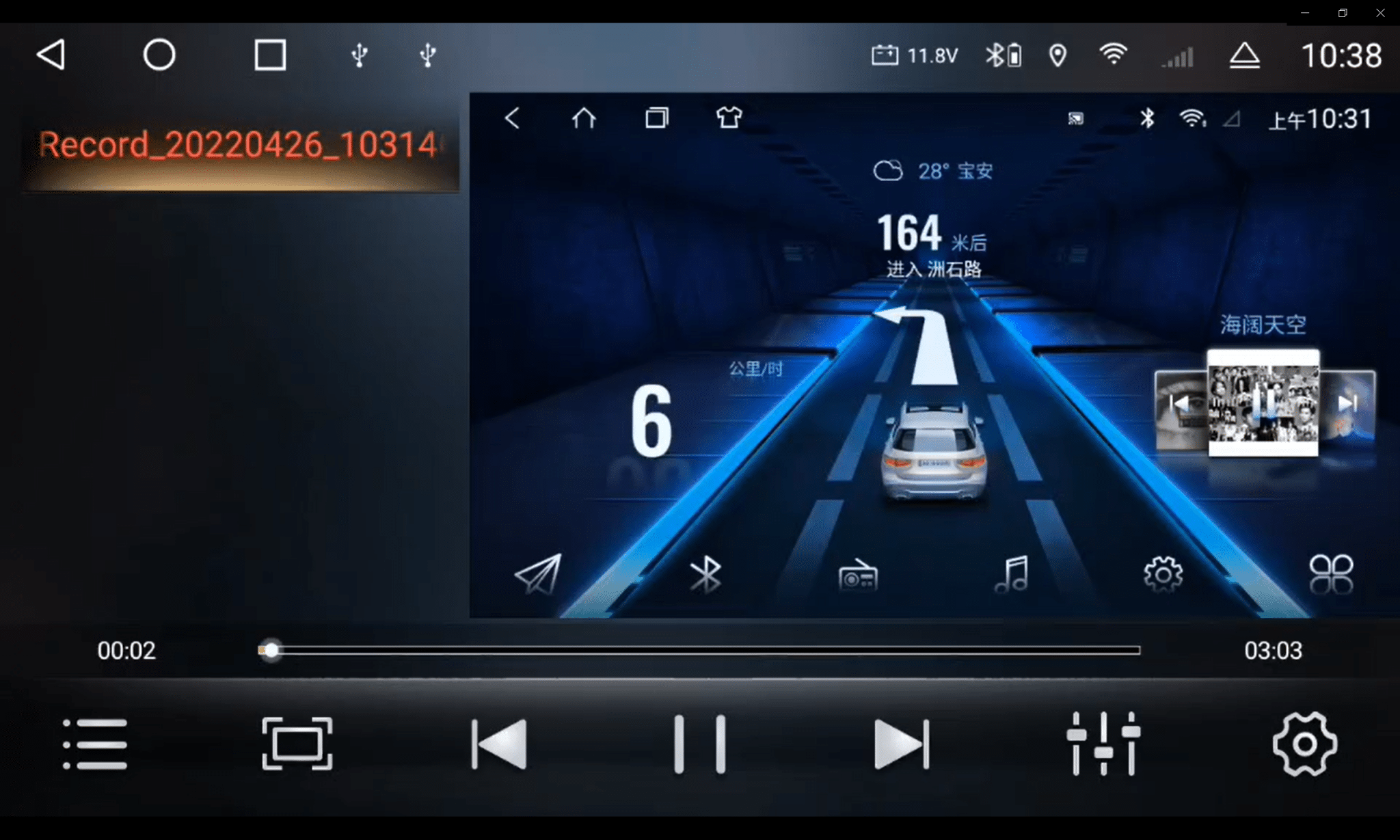
Navigation should never be buried. Dofun places it up front to minimize taps. It respects traditional UI principles: the most important function deserves the easiest path.
Clearer Information at a Glance
Legibility matters. Text contrast and sensible spacing allow critical details to be seen without hesitation. This reduces cognitive load—a proven ingredient for safer driving.
Improving Perceived Quality
Cheap head units often look cheap because their UI looks cheap. A better launcher elevates the perceived quality without altering hardware.
Limitations
No software is perfect. Dofun iLauncher has realistic boundaries:
- Theme catalog is oversized; curation recommended
- Some widgets require manual permission setup
- Auto-resume behavior depends on system policies
- Certain layouts are aesthetically weaker
- No direct performance optimization beyond UI
None of these are fatal. They simply reflect the practical nature of aftermarket Android ecosystems.
Dofun iLauncher vs Stock UI
| Category | Stock UI | Dofun iLauncher |
|---|---|---|
| Readability | Basso | Alto |
| Navigation Access | 2–3 taps | 1 tap |
| Customization | Basso | Alto |
| Auto-Play Music | No | Sì |
| Day/Night Behavior | Base | Better |
| Widgets | Minimal | Modular |
Stock UI works, but Dofun is meaningfully more refined.
Dofun iLauncher vs Other Launchers
| Item | Dofun | AGAMA | Car Launcher Pro |
|---|---|---|---|
| Aesthetics | ★★★★☆ | ★★★☆☆ | ★★★★☆ |
| Customization | Alto | Medium | Alto |
| Auto-Play Music | Sì | Parziale | Parziale |
| Stability | Good | Good | Good |
| Resource Use | Light | Light | Moderate |
Differences aren’t dramatic. The biggest advantage is design diversity and strong day/night usability.
User Scenarios
- Daily commuting
- Regular navigation users
- Interactive audio users
- Frequent road-trippers
- Drivers seeking cleaner UI without system changes
Is Dofun iLauncher Worth It?
Dofun iLauncher is not a mandatory upgrade. But if you:
- Dislike your current cluttered Android car launcher UI
- Use navigation often
- Want auto-music resume
- Value a cleaner, safer on-road workflow
Then the software is a sensible, modestly priced improvement.
It respects traditional design values—clarity, order, and reliability—while avoiding gimmicks. That alone makes it noteworthy.
More technical details, compatibility notes, and access are available at the official listing: Dofun iLauncher — Official Product Page.
FAQ
Does Dofun iLauncher slow down my head unit?
In normal use, no. Dofun iLauncher is a lightweight Android car launcher and runs smoothly on most modern Android head units, including common UIS7862 and similar platforms. As long as the device is not already overloaded with background apps, you should not notice any slowdown.
Can it auto-resume music when the car starts?
Yes. If the music app and Android system permissions allow background playback and restart, Dofun iLauncher can reopen your preferred player and resume music automatically after ignition, reducing the need for extra screen taps while driving.
Does it affect CarPlay or Android Auto?
No. Dofun iLauncher runs at the launcher level and does not interfere with CarPlay or Android Auto pass-through. Once CarPlay or Android Auto is active, those systems handle projection as usual.
Does it require root?
No. Dofun iLauncher does not require root access. Installation is straightforward: install the app, grant the requested permissions, choose a theme and set it as the default Android car launcher.
Conclusione
Dofun iLauncher is restrained and sensible. It prioritizes clarity and traditional UI fundamentals over visual novelty. It doesn’t attempt to replace the car system; it simply reorganizes it into something more logical.
Its advantages include:
- Cleaner layout
- Better day/night contrast
- Auto-play music capability
- Improved navigation visibility
- Moderate customization
Its limitations are acceptable and mostly procedural. Most importantly, it improves the daily driving experience without demanding significant configuration or learning.
If you want a stable, practical way to refine your Android head unit’s interface, Dofun iLauncher is a respectable option—not revolutionary, but genuinely more pleasant to use.
